
Welcome to SPA Info 101!
What is a SPA?
A Special Purpose Account (or SPA) is a shared CalNet ID used for collaboration and sharing of designated systems and platforms at UC Berkeley.
SPAs, their contents/data, and the shared email account (if a SPA-owned Google account is created) are owned by the institution and your primary department.
Different levels of access to a SPA account
- Full Member – Drive, Calendar, Box, Zoom Webinar, and Email access. Requires logging in “as” the SPA.
- Email Delegate – Email Access only. Login as yourself.
Login
How to Login “as” the SPA
Logging in AS the SPA requires logging into Calnet in a certain way. You’ll need to use Incognito/Private mode, or a completely separate browser/computer if you can’t logout as yourself.
Drive access is only available via this method.
Warning! Try to avoid this process around the time your timesheet is due. Caltime really gets confused over the odd login setup. It may immediately deny you access. If you are trying to login to Caltime and get a login page other than Calnet – STOP. Close the browser completely, reopen in incognito/private mode, and try again. If your Caltime access gets locked, only Caltime can unlock you.
Logging into Drive/Mail/Box/Zoom as a SPA – put a + in front of your username:
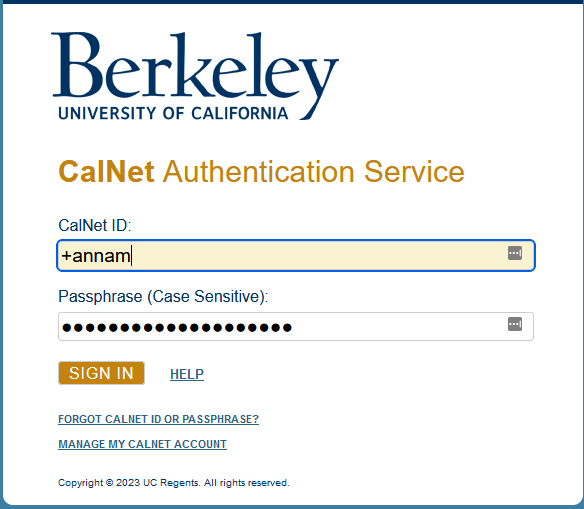
After hitting Sign In (Duo may or may not trigger):
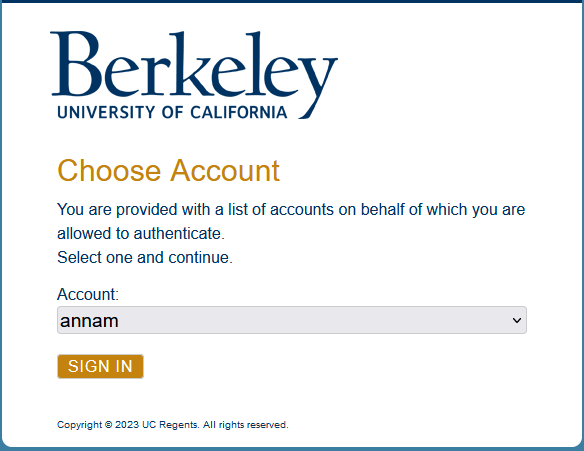
Clicking the down arrow in the right of the name field triggers the drop down to select a SPA – in this case, spa-lhstechnology:
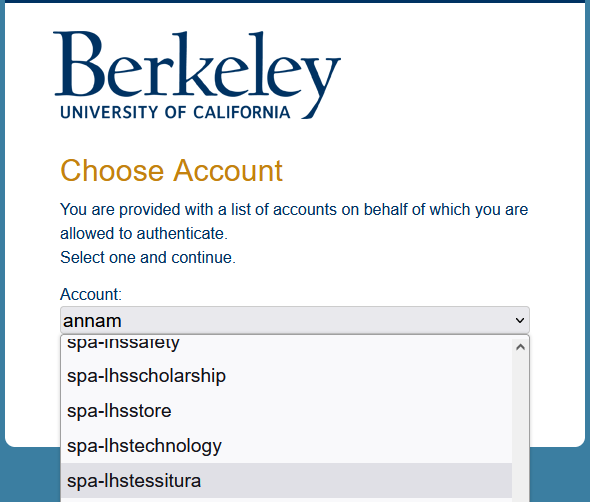
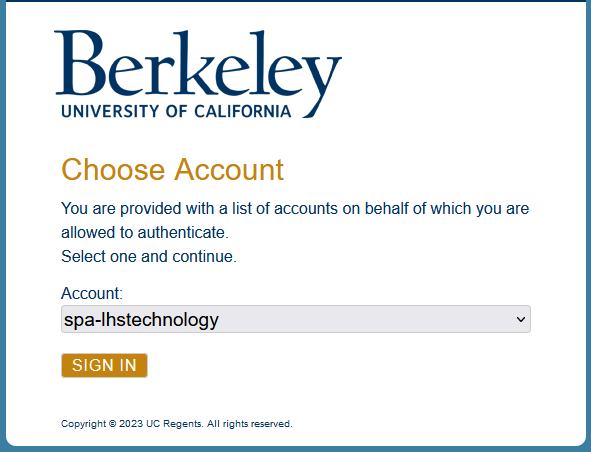
Ready to login as spa-lhstechnology:
How I know I’m in Drive or Mail AS the SPA – upper right corner:
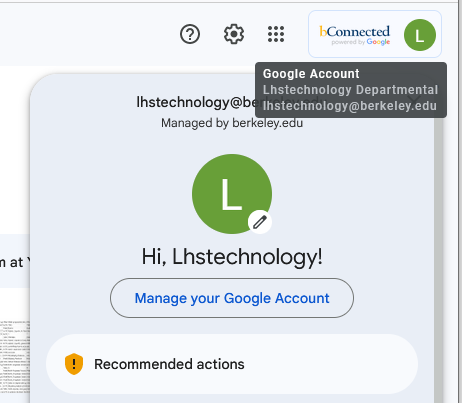
Note the nine dot grid just to the left of the bconnected logo. You can flip to any campus application – Mail, Calendar, Box – and still BE the SPA.
Email Delegate
Accessing SPA Email as yourself
Accessing email WITHOUT logging in as the SPA, if you are a Delegate (see FAQ for more info) – from bMail, click the account icon. All emails you have delegate rights will be visible:
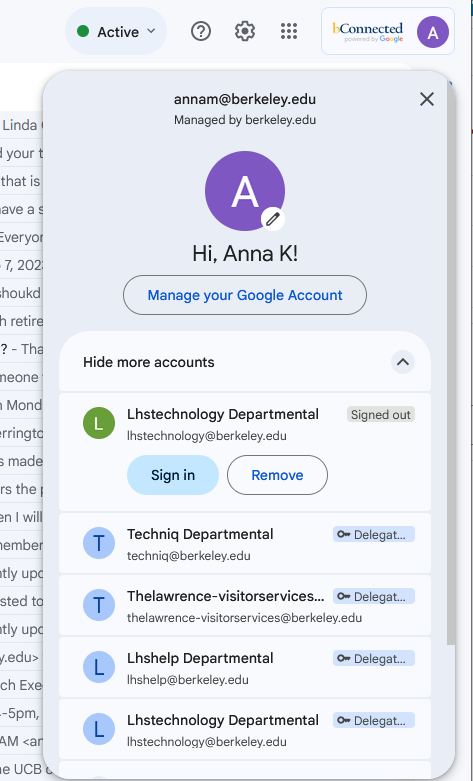
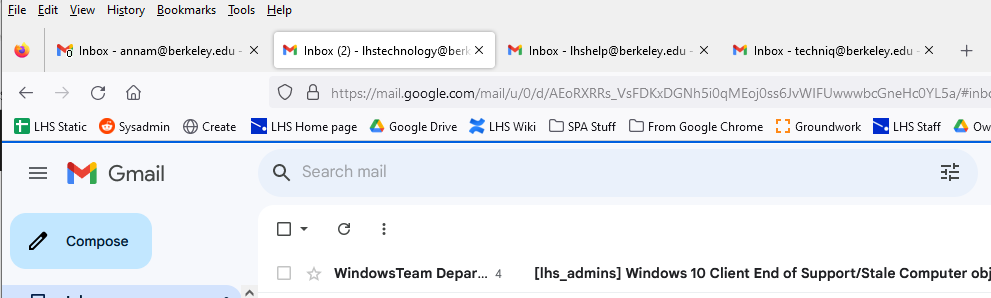
Clicking one will open in a new tab without logging you out or confusing Caltime:
Owner/Manager
Making the SPA the owner and manager
Because SPAs are basically “people” in the campus systems, they can be added to Drive and Box just like anyone. And you can transfer ownership to them just like you would with anyone.
Drive Ownership
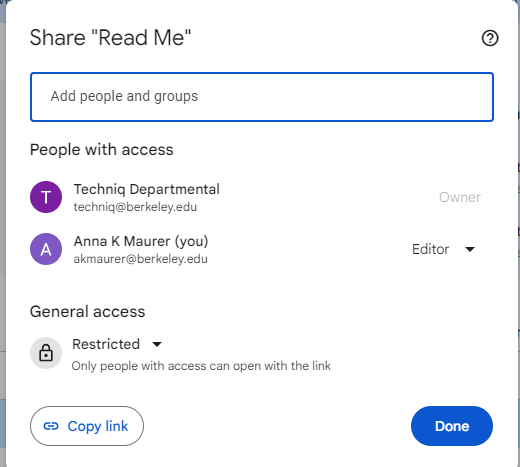
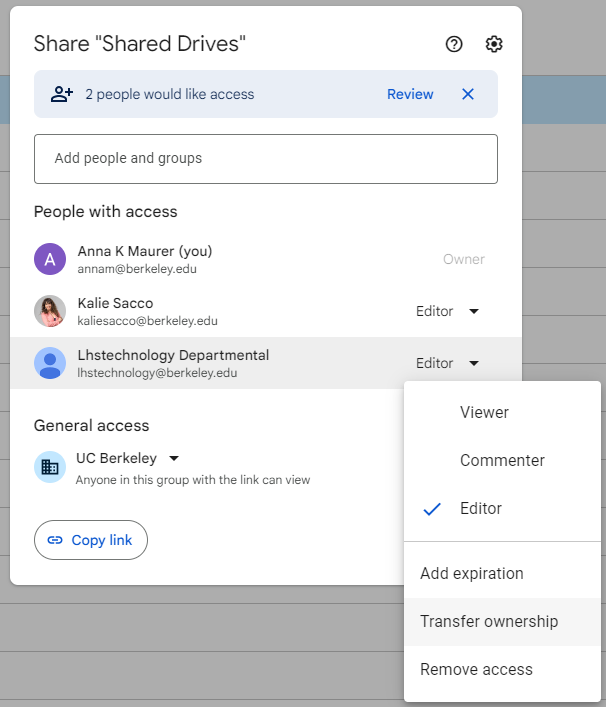
I could transfer ownership of this presentation to LHSTechnology, and both Kalie and I will retain access, and the file is safe from deletion. SPA accounts are subject to the same quotas as we are, so make sure there is room!
Shared Drive Manager
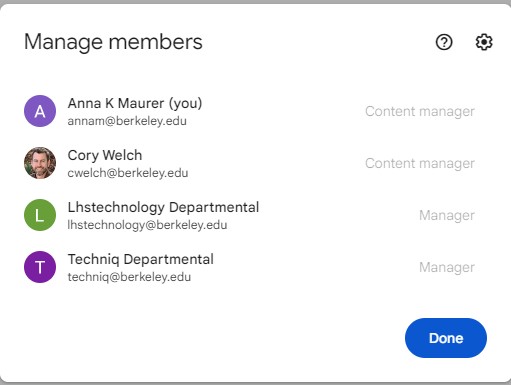
Shared Drives don’t have an “owner” – because the campus is the Owner of All Shared Drives – but having a SPA as a Manager/Backup Manager just makes things easier to deal with as people come and go:
FAQs
- How to I get Email Delegate rights?
- How do I get access to a SPA?
- Do SPAs have quotas on Google Workspace (Drive and Mail) and Box?
- Can I change the display name or email name?
- Can SPAs have email aliases?
- Can I move an alias from one SPA to another?
- Can I change the primary email address?
- Caltime says I don’t have access?
Q: How do I get Email Delegate Rights?
A: Only a Member of the SPA can grant delegate access.
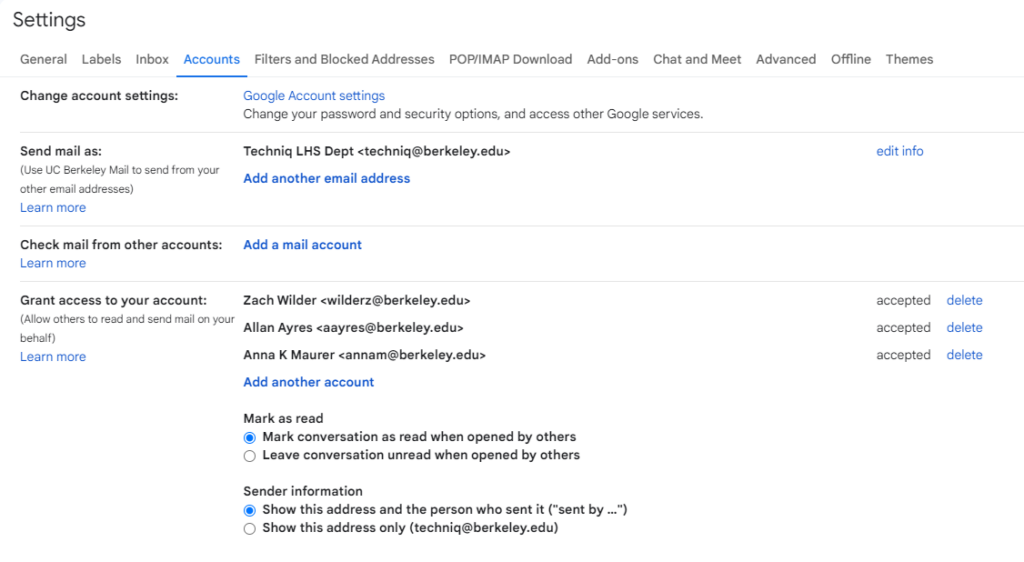
Login to bmail.berkeley.edu as the SPA, go to Settings -> Accounts -> Grant Access to your Account:
Q. How do I get access to a SPA to use Drive/Box/Calendaring as the SPA?
Although we cannot see WHO created the SPA, the Sys Admin can see who is a member and put you in touch with the likely “owner”, and they can approve access.
Q. Do SPAs have quotas?
Yes, for both Google Drive/Mail and Box. For Drive, it’s 150GB, for Box the limit is 500GB
Q. Can I change the display name or email name?
Only in a very limited way. You can edit the name displayed in various email areas here (popup is from clicking the Edit Info link on the right):
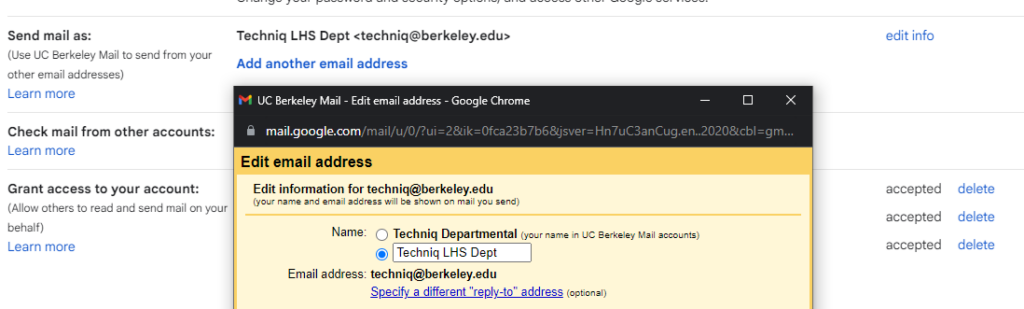
However, notice the tiny text next to the top radio button “(your name in UC Berkeley Mail accounts)” – this you CANNOT change. SPAs are always “spa name Departmental” in various systems.
Q. Can SPAs have email aliases?
Yes, it can have two additional aliases. Since SPAs are part of the campus, please note that some email addresses may already be taken!
Q. Can I move an alias from one SPA or personal email to another?
Yes. Emails received before the move will NOT be available after the move. Contact bConnected for assistance. Note that the original “owner” of the alias will need to be available to give permission.
Example: We had a former staff member who had long ago set “contracts@berkeley.edu” as an alias to their personal email. We were able to work with bConnected to move this alias to a SPA, however as this staff person had retired, getting permission for the change took awhile.
Q. Can I change the primary email address?
No. You can use an alias as the public/most used address, but the primary cannot be changed.
Q. Caltime says I don’t have access?
STOP. If you get this message WITHOUT having first logged into Caltime via Calnet, you are running into the “logged in as the SPA” issue. Caltime is picking up that login instead of re-authenticating against your own. Clear your cache, close the browser completely, open a NEW browser in Incognito/Private mode and try again. You may have to try a few times, or even, completely shut everything down and reboot your computer.