Program Site CSS Classes
Submenu class: submenu-links fullwidth
Cover Block: fullwidth
Content fully across the page with margins: wide
Pdf Icon: dashicons dashicons-pdf (place the classes in a span, happens automatically if link is a .pdf). Slide icons and video icons will also happen automatically for links that are a .pptx file or a youtube or vimeo link.
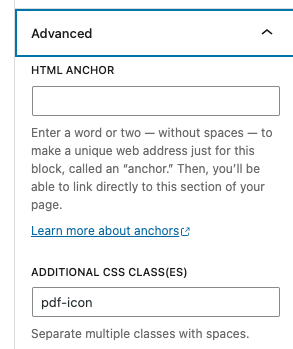
PDf icon manually entered to link in block editor: pdf-icon
Slideshow icon manually entered to link in block editor: slides-icon
Video icon manually entered to link in block editor: video-icon
Spreadsheet icon manually entered to link in block editor: spreadsheet-icon
Logo class: logos (add to a column block and adjust the width of the logos by modifying the width of the columns using %)
Image captions: photo-credit
Class to hide external link arrows: hide-arrow
Dots on the homepage hero: circle-orbit, circle-flare, circle-helios, circle-bay, circle-ultraviolet
Homepage hero image block: alignwide smallcircle
How to add the class names:
Click the block to select it, then add the class name in the advanced tab in the sidebar of the block editor under “Additional CSS Class(es).”