Reports + Briefs Templates
Template for Research, Program and Policy Briefs
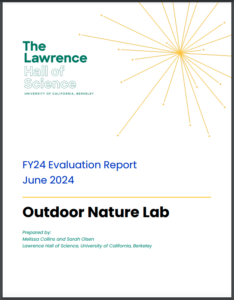
Brief Example – The header will be customized to reflect the type of Brief.
Research Briefs have been designed to be distributed in multiple accessible formats for accessibility and increased audience reach. Use this Google Doc template to produce the final draft of your document and the web team create a post for the Publications section on the website. This custom post will include the article in HTML, PDF and DOCX.
Formatting Guidelines
Using the following guidelines for your draft will help the final article have maximum accessibility and an effective, readable layout:
Using Built-in Styles for Headings and Text: Employ Google Docs’ built-in heading styles for section titles (e.g., Heading 1, Heading 2). Use the “Normal Text” style for regular text, maintaining consistency throughout the document.
Adding Alt Text to Images: Right-click on an image, select “Alt text,” and describe the image focusing on essential details relevant to the context.
Image Captions: Place captions directly below images. Be descriptive and concise, and format all captions consistently.
Font Choice: Use “Poppins” from Google Fonts.
Inserting and Formatting Charts: Use “Insert > Chart” for adding charts. Add alt text for accessibility. Use contrasting colors and simple designs.
Chart Captions: Provide a caption below each chart, describing its relevance and summarizing key findings.
Creating and Formatting Tables: Use “Insert > Table” for tables. Keep them simple, with clear headings for each column and row.
Table Accessibility: Provide a brief description of the table’s content and purpose. Add alt text explaining the table’s structure and key data.Consistency and Simplicity: Maintain consistent formatting for charts and tables throughout the document. Aim for simplicity in design.