Duotone Styles

List of Duotone Classes

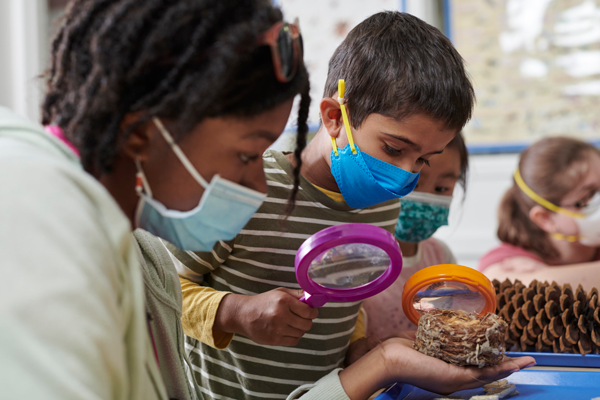
Students are using hand lenses to examine nature
blackbay
Students are using hand lenses to examine nature
blacksemiviolet
Students are using hand lenses to examine nature
orbitbay
Students are using hand lenses to examine nature
orbitsemiviolet
Students are using hand lenses to examine nature
orlandobay
Students are using hand lenses to examine nature
orlandosemiviolet
Students are using hand lenses to examine nature
purplebay
Students are using hand lenses to examine nature
purplesemiviolet
Students are using hand lenses to examine nature
flarehelios
Students are using hand lenses to examine nature
blackpaleblue
Students are using hand lenses to examine nature
blackhelios
Students are using hand lenses to examine nature
orbitpaleblue
Students are using hand lenses to examine nature
orbithelios
Students are using hand lenses to examine nature
orlandopaleblue
Students are using hand lenses to examine nature
orlandohelios
Students are using hand lenses to examine nature
purplepaleblue
Students are using hand lenses to examine nature
purplehelios
Students are using hand lenses to examine nature
flaresemiviolet
Students are using hand lenses to examine nature
blackultraviolet
Students are using hand lenses to examine nature
martianblack
Students are using hand lenses to examine nature
orbitultraviolet
Students are using hand lenses to examine nature
martianorbit
Students are using hand lenses to examine nature
orlandoultraviolet
Students are using hand lenses to examine nature
martianorlando
Students are using hand lenses to examine nature
purpleultraviolet
Students are using hand lenses to examine nature
martianpurple

How to Style a Duotone Image

How to make an image duotone:

  1. Select the image.
  2. Go to the Advanced dropdown menu in the right-hand sidebar.
  3. In the “Additional CSS class(es)” box add the name of the duotone class you would like to use. Each of the class names are written with image examples on this page. Make sure you do not have any spaces between the words and that they are all lowercase.
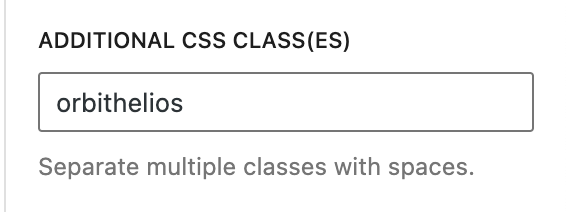
Orbithelios styling example

How to make a feature image duotone:

  1. Scroll down to the bottom of the post and look for the drop down select where you can choose the duotone color for the featured image. (This won’t display in the block editor, but it will on the front end.)

orbithelios duotone example